Tutorial
Tumbling Objects


Lightwave Tutorial – Object Tumble.


This is a short simple tutorial, but it does assume a basic working knowledge of Lightwave, in particular it assumes knowledge of key frames, nulls, and parenting. If these are new to you, it would be handy to check the manual before you get started!

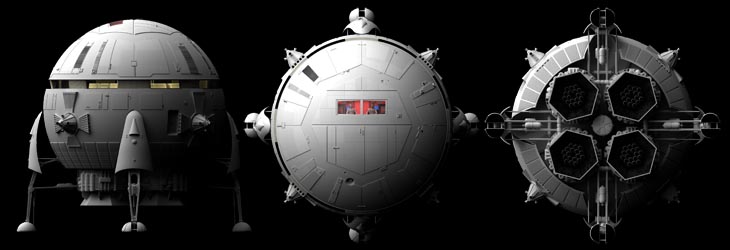
Sometimes a really nice way to show off your 3d object is to have it gently tumble in the centre of the screen, so you get to see it from different angles. When I first tried to do this, it was surprisingly tricky to get it looking good.

At the risk of showing my age, what I had in mind was something like the old computer game "Elite", an elegant gentle roll, smoothly sowing rom every angle.

The simple approach I first tried was to get the object, and set a steady increasing rotation on heading, pitch and bank. But it seemed to get stuck for periods, or do odd twirls, it was very uneven, and also very difficult to adjust. Thinking about it, when part of the object is pointing up near the pole, (to use a geograpical analogy), a large increase to rotation around the equator in latitude will only produce a small movement.

After a bit of thought I came up with a better method.

The trick is to make each of the three axes independent, and this is done by use of parented nulls.

So here we go.

Getting Started:

Illustration of setting key frames
Click for a larger version.

Setting the behaviour after keys are set.
Click for a larger version.

Parenting.

As we all know, good parenting is an important skill, and in this case it is essential for the effect to work. The nulls must be parented to each other, so that the motions add up, and we get movement in every dimension.

So, take the null-roll-pitch, go to ‘motion options’ and set the parent object to null-roll-heading.

Next take the null-roll-bank object and parent it to null-roll-pitch, so we have a chain of parents, from heading to pitch to bank. (The exact order again does not matter, but for now follow me).

Here's a grab of the scematic view of the scene, click for a large version:
Heirarchical view of the scene

If you pull the frame slider backwards and forwards, you will see things happening, but it is not clear what – for that we need to add an object. The object will rotate around the origin, so it will work best if the object has been centred in modeller (use the F2 key).

Pick an object, load it up, and parent it to the last null in the chain, (in this case null-roll-bank). Now if you use the frame slider you will see it roll nicely. A simple object is best for a first pass.

If you get a twitch or jerk at frame 750, you probably missed one of the nulls being set to post behaviousr of 'offset repeat'.

If you want a longer animation, just adjust the end frame, no need to change anything else.

Sample scene:

Here is a simple sample scene with everything set up. It uses the ‘space fighter’ object as an example, which you should have included with your LW content. If you can’t find it, just replace it with any object of your choice. (Something a few metres across will work without adjustments).

(Click to download scene)

Sample Video:

Tumbling object clip
(MP4, 2.5 megabytes - this uses a Tie Bomber downloaded from www.lwg3d.com)
And here's a larger clip using one of my objects:

3.5 Mb MPG4 video

Taking things further:


The sample scene has very simple lighting, as the main objective here is the movement. Of course you can crank up the lighting settings, turn on motion blur, and generally improve the quality.

When you replace the tumbling object, (which is not included in the scene), you may need to allow for a different scale. The easy way is to go to the first frame, and pull the camera back or forwards. The spotlight is set to target the tumbling object, you may want to adjust it's angle of illuination, or if feeling lazy, just replace it with a distant light.

You may want to move the object that is doing the tumbling around, for example to make it fly past the camera. A convenient way to do this is to add a new null, (maybe called master-null), and parent to top level null in your chain to that. You can them move the master-null around and not mess up any key frames on other nulls.

You can adjust the speed of the tumble easily by adjusting the degree of rotation given to each null at frame 750.

If you found this tutorial interesting, you may also like to see:

My downloads page
Which contains quite a few Lightwave objects and scenes for you.

My "Ringed Planet" Tutorial
Which explains how you can make a convincing ringed planet in Lightwave.

Poser & Lightwave

Using Poser figures in Lightwave 3d:

My Galleries page

Which contains quite a few Lightwave space and science fiction images - look under GRAPHICS for these.


graphics.jpg (3520 bytes) galleries.gif (1932 bytes) download.jpg (4169 bytes)
panoramas.gif (1997 bytes) photographs.gif (2007 bytes) index.jpg (2719 bytes) email.jpg (2756 bytes)